Privacy policy

Chrome Extension Privacy Policy

This page describes the Autofill addon published under the Automate website, including screenshots of each user-facing feature, what data each feature handles, where that data is stored, and when it is sent to Google or destination websites.

Last reviewed: 2026-05-29

Feature Gallery

These screenshots show the addon panels that reviewers and authorized users can open. Each card also summarizes the data handled by that feature so the visuals and the privacy disclosures stay aligned.

Autofill addon main panel listing Jotform Wizard, Contracts Parser, Doc Scanner, Step Recording, Response Verifier, and Settings.

Main Panel Overview

The main panel lists the addon tools available on the current page and acts as the navigation entry point after sign-in.

Data handled
Google sign-in state, current page URL support checks, and the names of the available feature modules.
Storage behavior
The panel remembers UI preferences such as collapse state locally and only unlocks feature access for authorized signed-in accounts.
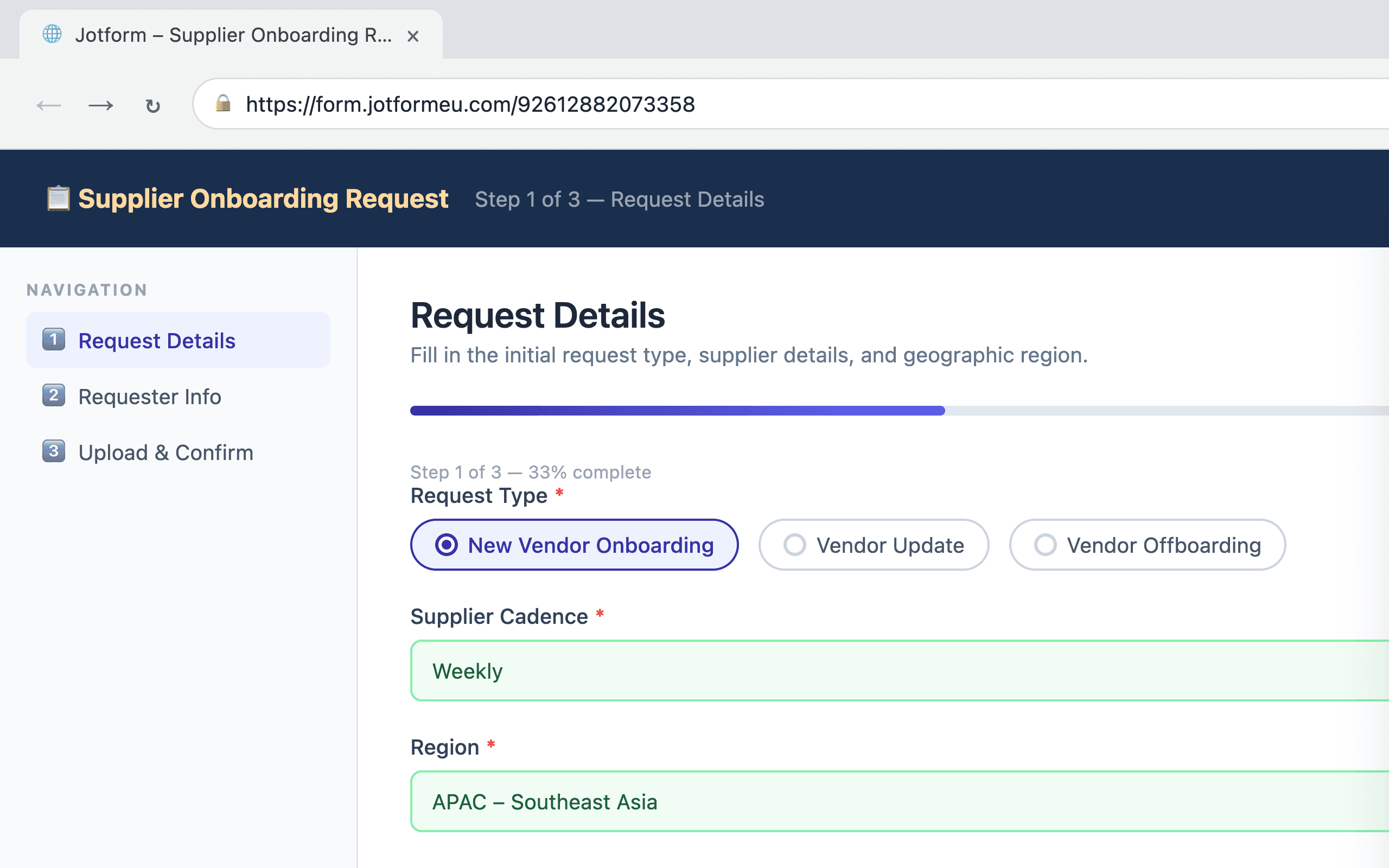
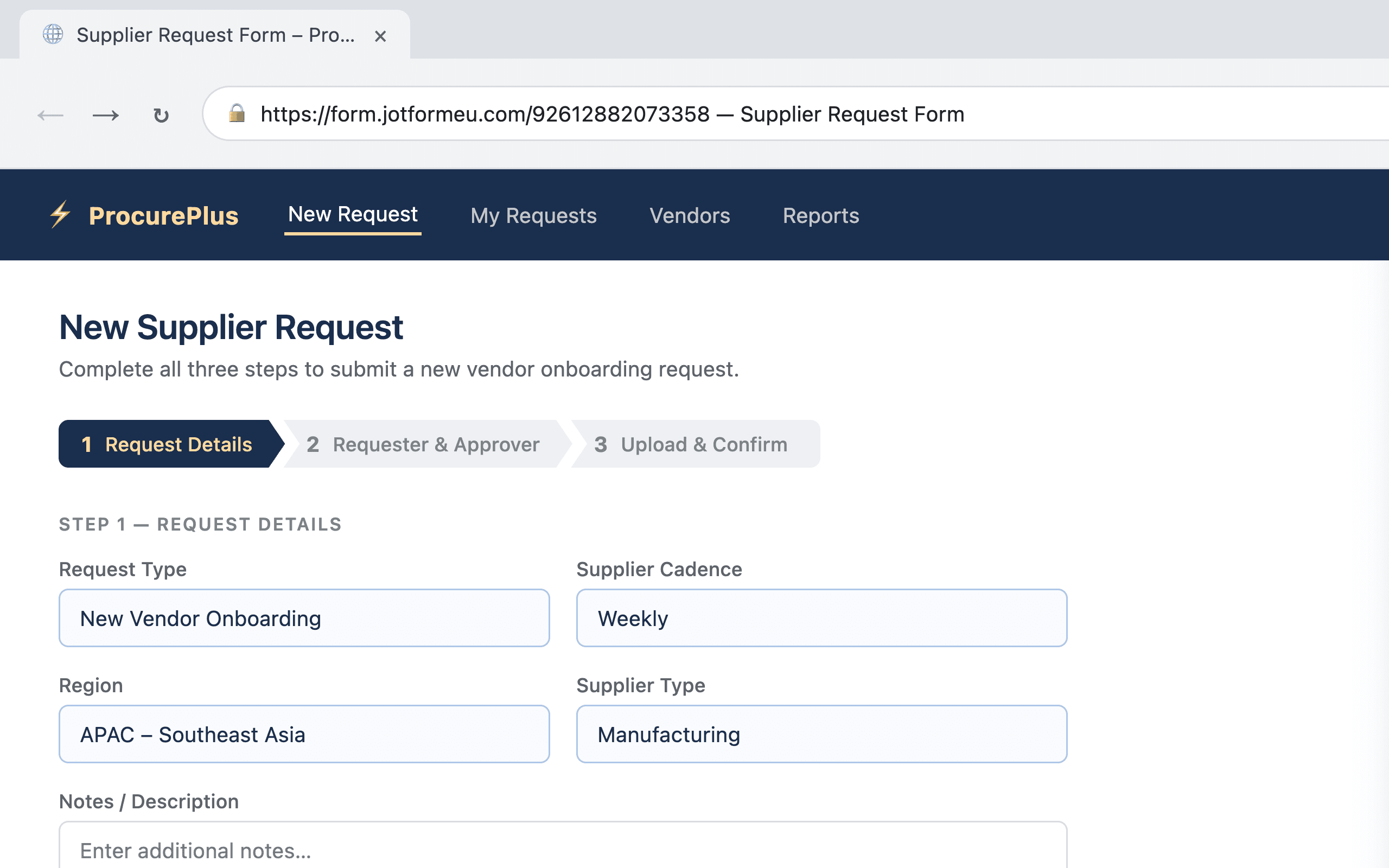
Autofill addon Jotform Wizard panel next to a supported multi-step Jotform page.

Jotform Wizard

Autofills a supported multi-step Jotform workflow from saved preset bundles and can upload files into the target form when the user runs a step.

Data handled
User-provided preset values, current Jotform field values, optional uploaded files, and the field selectors needed to complete the target form.
Storage behavior
Preset bundles are stored in the addon workspace. Form values are sent only to the destination Jotform page when the user chooses to run the automation.
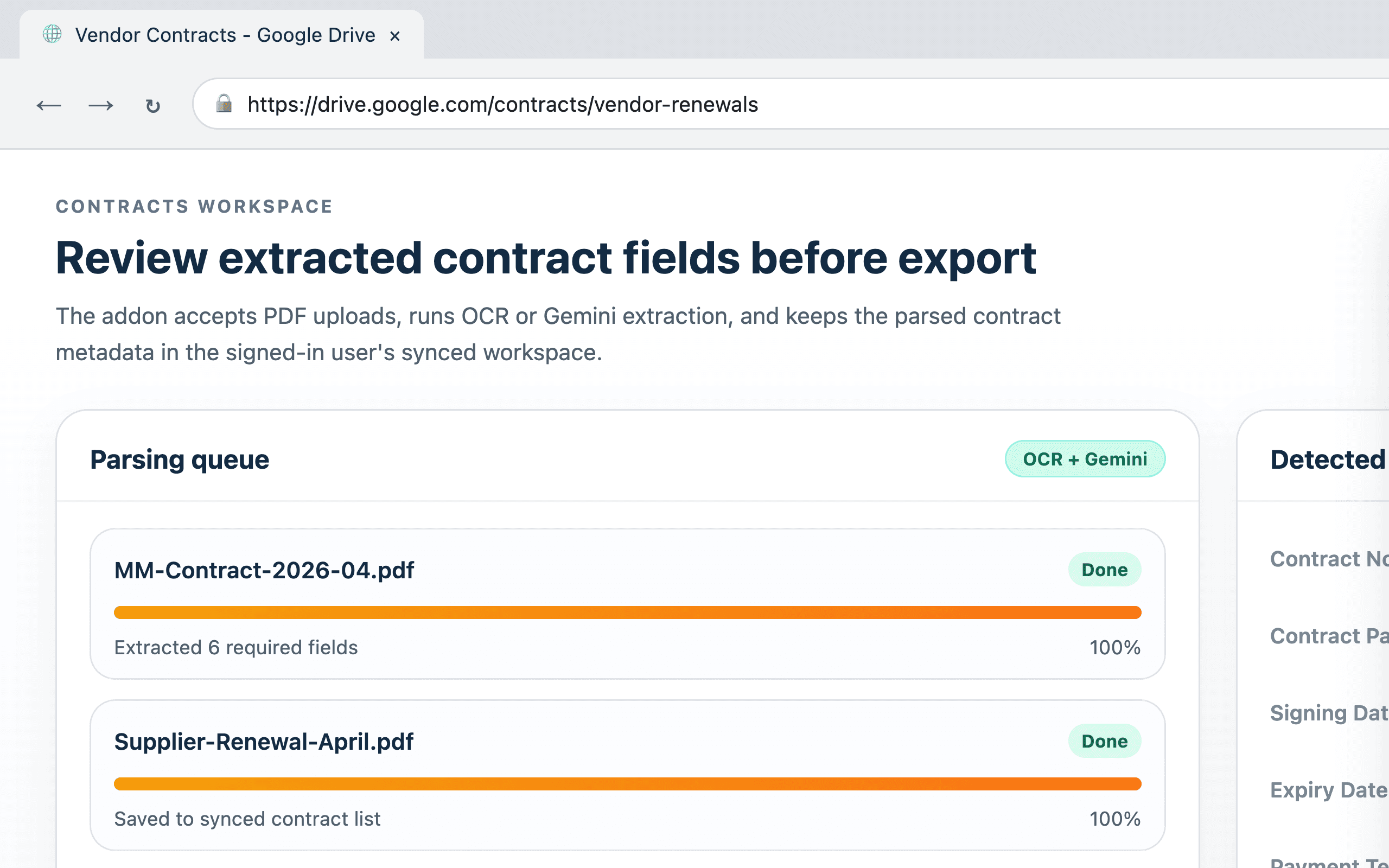
Autofill addon Contracts Parser panel showing PDF parsing progress and extracted contract fields.

Contracts Parser

Accepts PDF files, extracts contract fields with OCR or Gemini AI, and lets the user review or export parsed contract records.

Data handled
User-selected PDF files, extracted contract metadata, the active extraction profile, and the optional Gemini API key configured in Settings.
Storage behavior
Saved contract records sync to the signed-in user workspace. PDFs are processed for extraction; the addon stores the parsed records rather than a public analytics log.
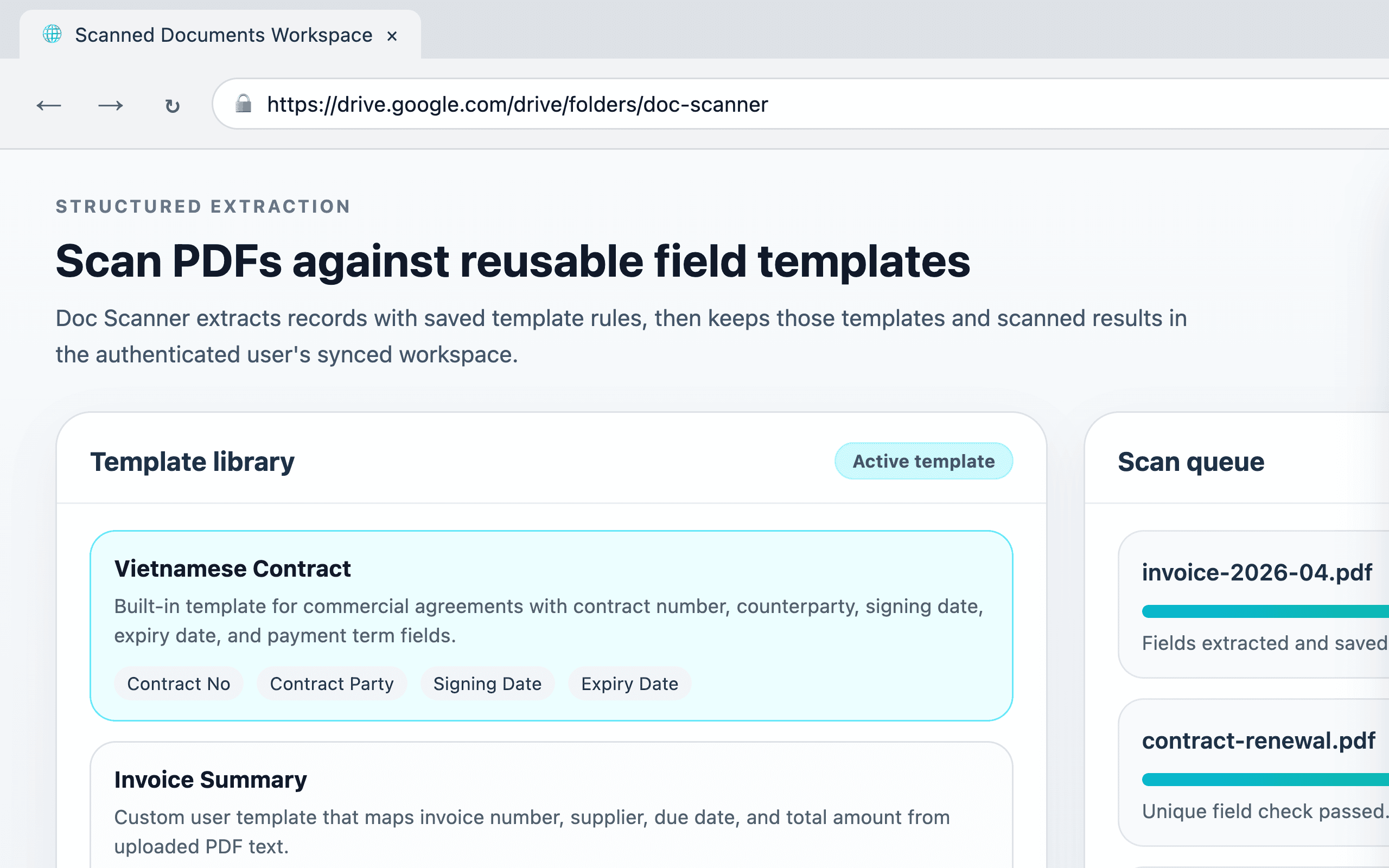
Autofill addon Doc Scanner panel showing active templates, scan progress, and scanned record output.

Doc Scanner

Runs template-based PDF extraction so users can maintain reusable field templates and collect structured records from uploaded documents.

Data handled
User-selected PDF files, user-created or built-in extraction templates, and the structured records produced by template matching.
Storage behavior
Templates and scanned records can sync to the signed-in user workspace. The feature does not sell or share the extracted records for advertising.
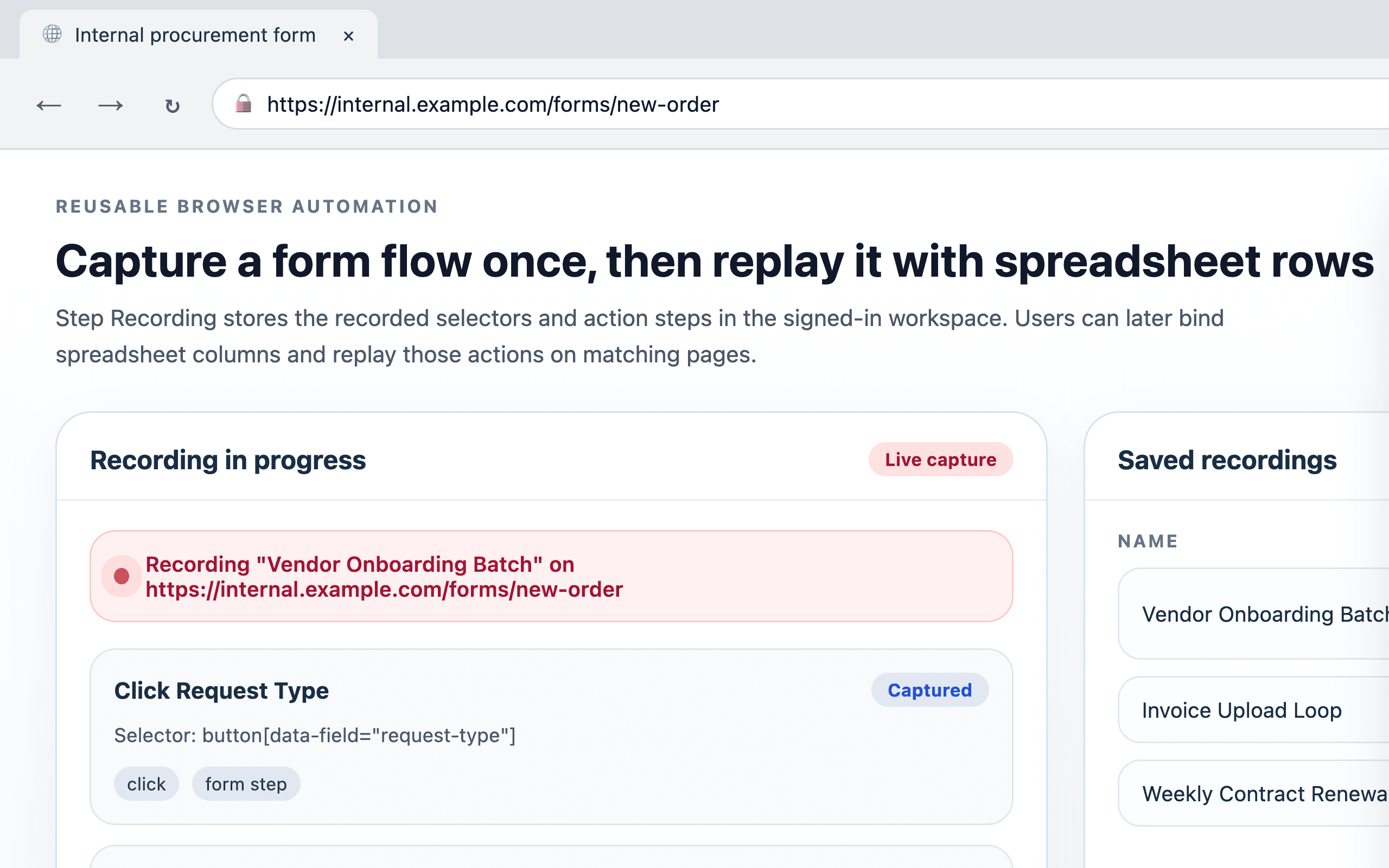
Autofill addon Step Recording panel showing a live recording state and a saved recordings library.

Step Recording

Records clicks, input selectors, wait steps, and optional spreadsheet mappings so users can replay a saved browser flow later.

Data handled
Recorded selectors, typed values or mapped columns, start URLs, optional spreadsheet rows, and saved playback configurations.
Storage behavior
Saved recordings can sync to the signed-in workspace. Unsaved recording drafts remain local until the user stops recording and chooses to keep them.
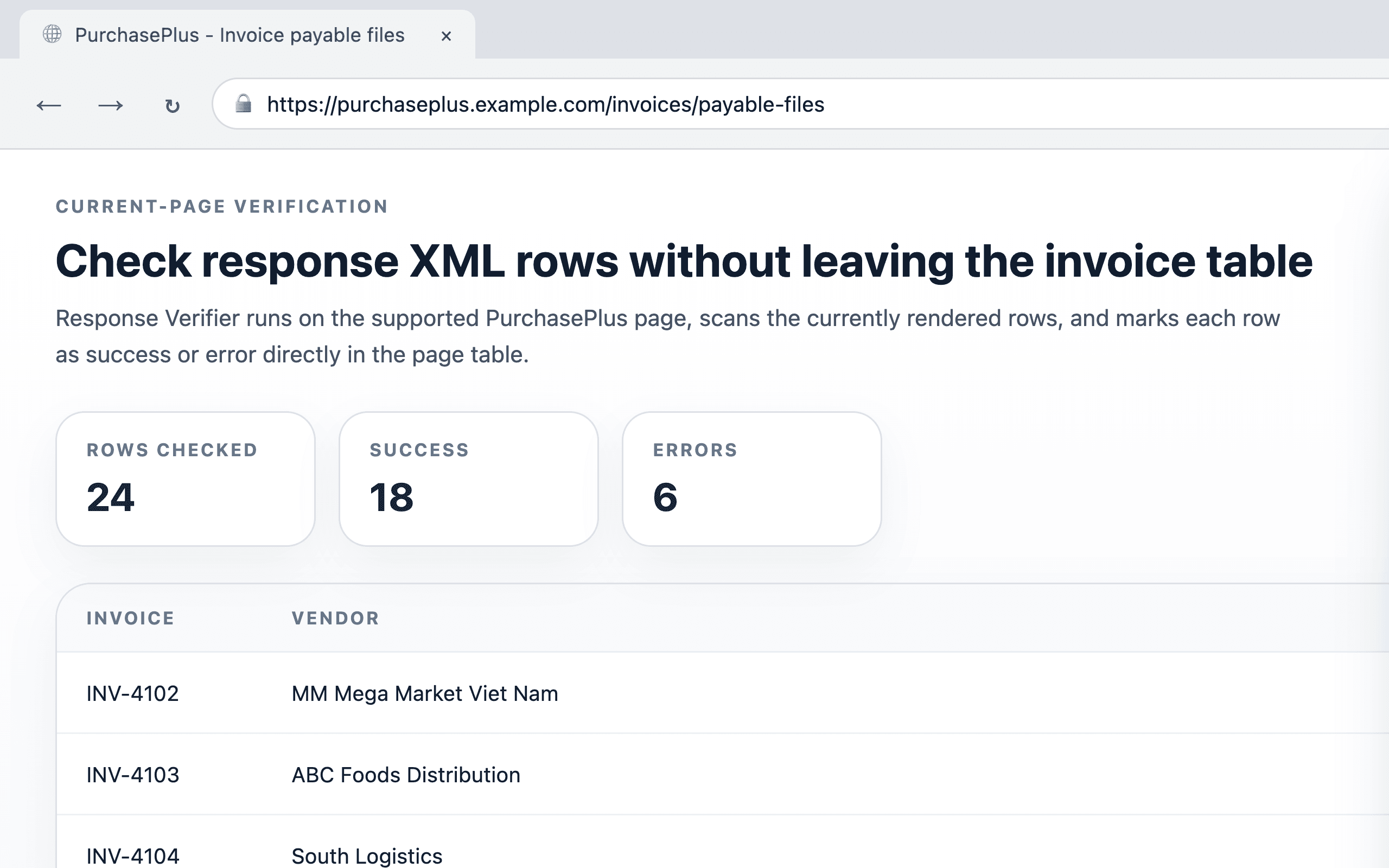
Autofill addon Response Verifier panel showing current-page invoice response verification results.

Response Verifier

Checks supported PurchasePlus invoice response rows on the current page and marks each visible row with success or error results.

Data handled
The current page URL, the visible response XML row contents rendered on that page, and the verification summary shown back to the user.
Storage behavior
This feature operates on the current page and displays the results there. It does not create an advertising profile or unrelated analytics stream from the page table.
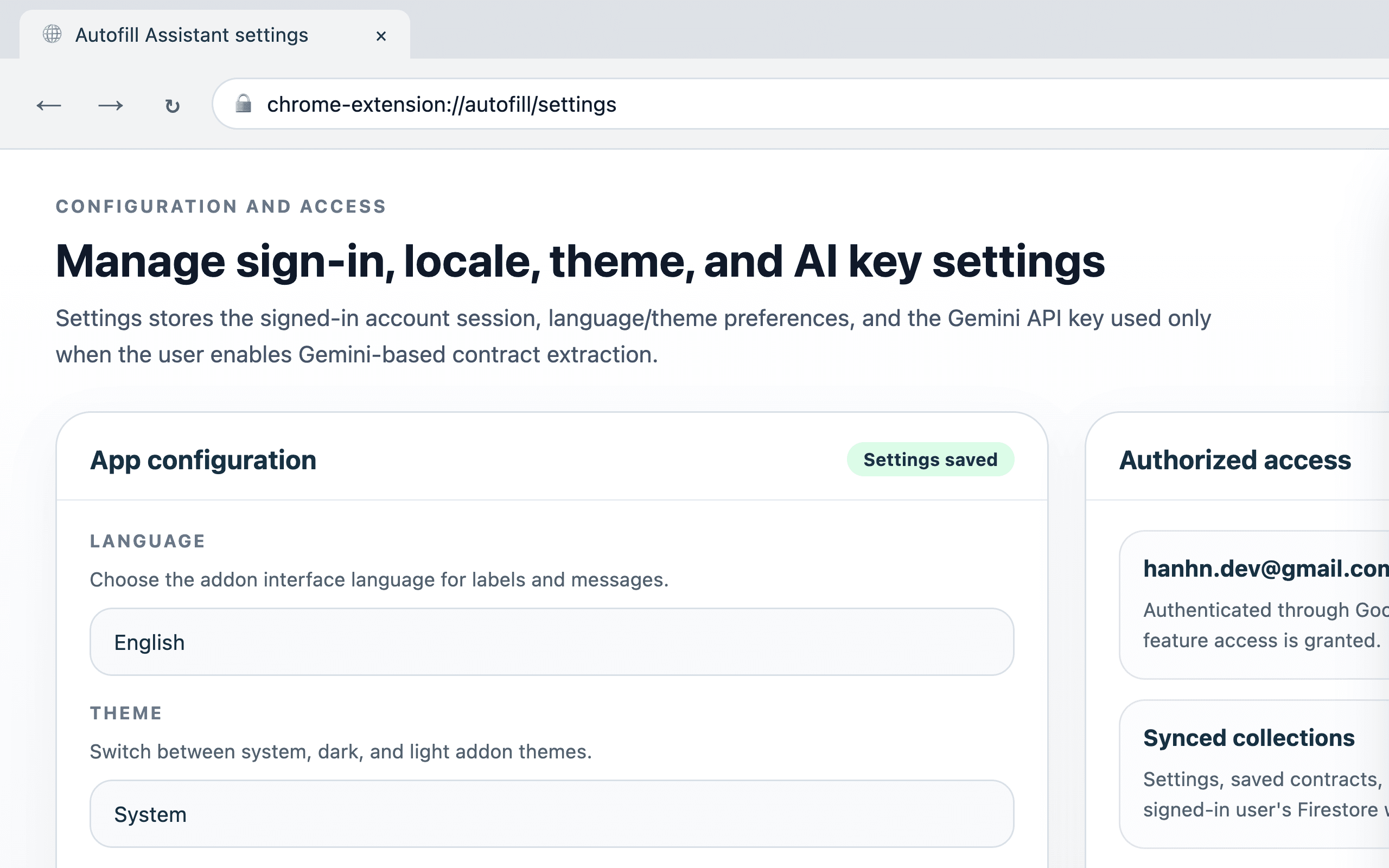
Autofill addon Settings panel showing language, theme, Gemini API key, and authorized access information.

Settings and Access Control

Stores language, theme, Gemini API key, and the sign-in state required to unlock the addon for authorized Google accounts.

Data handled
Google account identity used for sign-in, locale and theme preferences, and the Gemini API key entered by the user.
Storage behavior
These settings are stored in the user workspace so the addon can restore the same configuration across sessions for the same signed-in account.

Overview

This page is the public privacy policy for the Autofill addon published under the Automate website.

The addon injects a side panel into the pages the user opens and exposes six main tools: Jotform Wizard, Contracts Parser, Doc Scanner, Step Recording, Response Verifier, and Settings.

This policy is written so Chrome Web Store reviewers and users can compare the addon's screenshots with the addon's actual data handling practices before installation or use.

What Data We Collect

The addon can process Google account identifiers needed for sign-in, addon settings such as locale, theme, and Gemini API key, saved preset bundles, saved contract records, doc-scanner templates, scanned records, and saved step recordings.

When the user runs a feature, the addon can also process current page content or DOM fields, uploaded PDF files, optional spreadsheet rows, recorded selectors, and optional file attachments that the user asks the addon to submit into a supported form.

The addon does not collect or infer data for advertising, data brokerage, fingerprinting, or unrelated analytics.

How We Use Data

The addon uses account data to authenticate users, enforce the addon allowlist, and restore the signed-in workspace across sessions.

Feature data is used only to perform the user-requested workflow: autofilling a supported form, parsing fields from PDFs, applying saved extraction templates, replaying recorded browser steps, verifying current-page response rows, or restoring saved settings.

The publisher does not use addon data to build marketing audiences, train unrelated advertising systems, or monetize user information.

Sharing and Third Parties

User data is not sold, rented, or traded.

Information is shared only when it is necessary to complete the user-requested action, such as signing in with Google, syncing saved addon data with Firebase or Firestore, calling the Gemini API after the user has enabled Gemini parsing and provided an API key, or submitting form data to the destination site the user is actively automating.

OCR worker assets are fetched from jsDelivr for PDF extraction. The publisher does not share addon data with advertisers or data brokers.

Data Retention and Security

The addon stores feature data in browser storage and can sync saved settings, saved contracts, doc-scanner templates and records, and saved step recordings to the signed-in user workspace in Firestore.

Unsaved step-recording drafts remain local until the user finishes and saves them. When data is transmitted outside the browser, it is sent over HTTPS or comparable secure channels supported by the destination service.

Stored data is retained only for as long as the user keeps it in the addon workspace or until deletion is requested. Access to synced data is limited to the authorized signed-in account and the publisher operating the private workflow.

Your Choices and Deletion Requests

Users can sign out, remove saved contracts, doc-scanner templates or records, and delete saved step recordings from within the addon. Removing the extension or clearing browser storage also removes local addon data.

Anyone authorized to use the addon can contact the publisher to ask privacy questions, confirm whether specific data was synced to Firestore, or request deletion of synced user-linked data when applicable.

Contact

For privacy questions or data requests, contact hanhn.dev@gmail.com.

Chrome Web Store Compliance

This privacy policy is intended to stay aligned with the Chrome Web Store privacy-practices form, the addon manifest permissions of storage and identity, and the feature behavior shown in the screenshots above.

The addon requests broad host access because the side panel can be opened on arbitrary pages, but the actual automation logic is limited to user-requested page workflows such as supported Jotform flows or current-page response verification.

The publisher does not use the addon to steal user data, sell user data, or exploit user data for any purpose unrelated to the private workflow described on this page.

The use of information received from Google APIs will adhere to the Chrome Web Store User Data Policy, including the Limited Use requirements.